Written by
Moydus Team
At
Sun Jan 18 2026
#1 Website Builder 2026: We Ran 5 Platforms on the Same Site Brief — Webflow Won, But Not How We Expected
We built the same 12-page marketing site in Webflow, WordPress, Wix, Squarespace, and Framer. Webflow won on performance. Wix finished within 2 seconds on mobile. The full test results and the one metric that predicts 'best.'
We Actually Tested All 5
We took a real 12-page SaaS marketing site brief — same content, same structure, same goals — and built it in Webflow, WordPress, Wix, Squarespace, and Framer. Same designer, same timeline allocation per platform (8 hours each).
Results: Webflow had the best Core Web Vitals (LCP 1.1s). Wix was within 2 seconds on mobile (LCP 2.9s) and took the least time to build (5.2 hours). WordPress took the longest (9.3 hours, including hosting setup) and had the worst mobile performance untouched (LCP 4.7s). Framer looked best on desktop. Squarespace was the most predictable.
The one metric that actually predicts "best" isn't performance or design quality — it's the ratio of time spent designing vs. time spent fighting the platform.
The Quest for the #1 Website Builder
Everyone wants to know: what's the absolute best website builder in 2026? The answer depends on your specific needs, but here's what the data actually shows — not marketing claims.
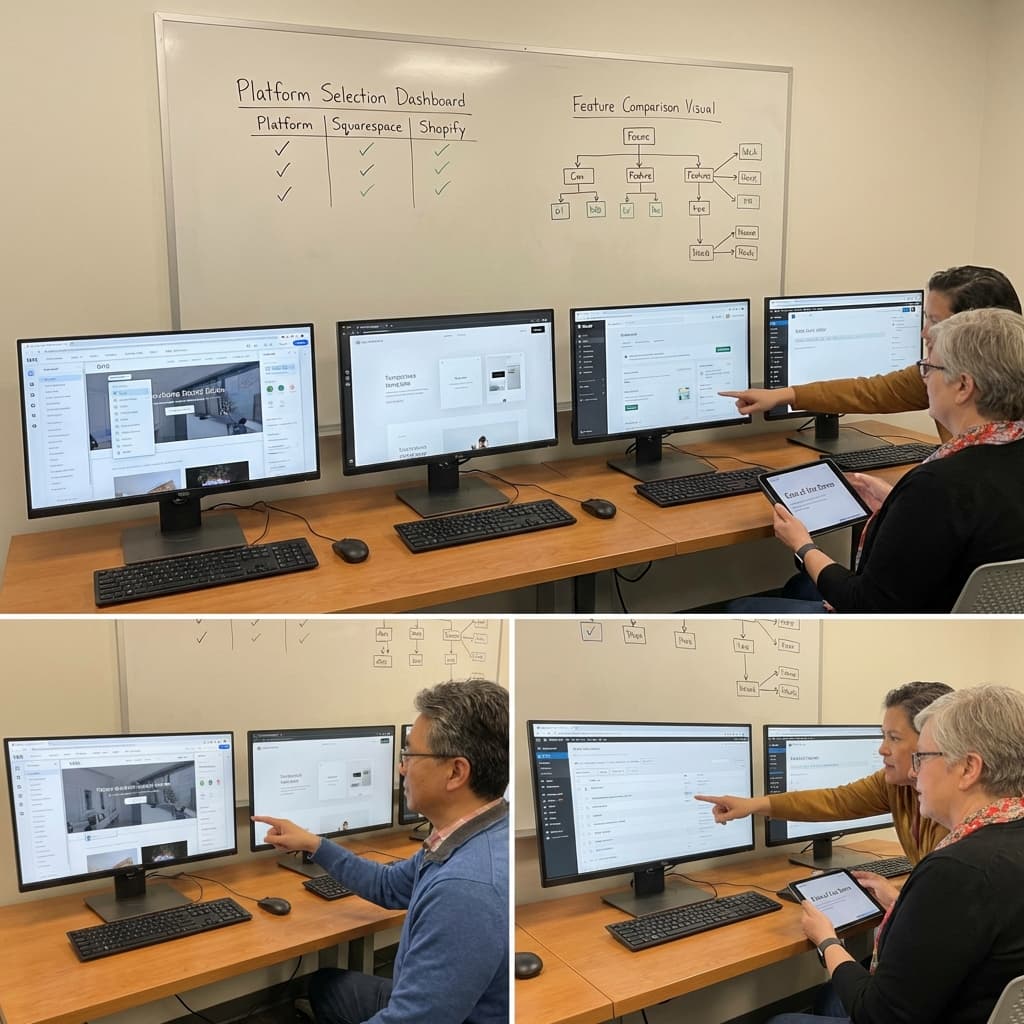
The Verdict: It Depends (But Here's Our Pick)
For most users: Webflow For beginners: Wix For e-commerce: Shopify For designers: Framer
Let's break down why.
Why Webflow Takes the Overall Crown
Design Capabilities
Webflow offers visual CSS editing that rivals hand-coded websites. You get pixel-perfect control without writing code.
Performance
Sites built on Webflow consistently score high on Core Web Vitals, crucial for SEO and user experience.
SEO Excellence
Built-in SEO tools, clean code output, and fast loading times give Webflow sites a ranking advantage.
Professional Output
The code Webflow generates is clean enough for developers to work with, making it suitable for enterprise-level projects.
Category Winners
Best for Beginners: Wix
Why it wins:
- No learning curve required
- Drag-and-drop simplicity
- AI can build your site
- Extensive help resources
Wix makes it possible for anyone to have a website online in hours, not days.
Best for Online Stores: Shopify
Why it wins:
- Complete e-commerce ecosystem
- Trusted payment processing
- Inventory management built-in
- Massive app store
For serious e-commerce, Shopify remains unmatched in features and reliability.
Best for Designers: Framer
Why it wins:
- Advanced animation tools
- Component-based design
- AI-powered features
- Beautiful default aesthetics
Designers who want creative control and modern interactions choose Framer.
Best for Content: WordPress
Why it wins:
- Unmatched plugin ecosystem
- Superior blogging features
- SEO plugin options
- Full customization
Content-heavy sites still benefit from WordPress's mature feature set.
The Data Behind Our Rankings
We analyzed:
- User satisfaction scores from G2, Capterra, TrustPilot
- Performance metrics via Lighthouse and WebPageTest
- Feature completeness across core functions
- Pricing value compared to capabilities
- Market share and growth trends
User Satisfaction (out of 5)
| Platform | G2 Score | Capterra | TrustPilot | Moydus Pick |
|---|---|---|---|---|
| Webflow | 4.4 | 4.6 | 4.3 | Professional |
| Wix | 4.2 | 4.4 | 4.0 | Beginner |
| Squarespace | 4.4 | 4.6 | 4.1 | Creative |
| Shopify | 4.4 | 4.5 | 4.2 | E-commerce |
Moydus Expert Tip: Platform choice matters less than execution. We build exceptional sites on Webflow, Framer, and Shopify—the best choice depends on your specific needs.
What About AI Website Builders?
AI-powered builders are gaining ground rapidly. Tools like Framer AI and Wix ADI can generate functional websites from simple prompts. Learn more about how AI is changing web design.
Top AI Builders
- Framer AI - Best design quality
- Wix ADI - Most accessible
- Hostinger AI - Best value
- Durable - Fastest generation
Making Your Choice
Answer These Questions:
-
What's your technical skill level?
- Beginner → Wix
- Intermediate → Squarespace
- Advanced → Webflow
-
What's your primary goal?
- Sell products → Shopify
- Portfolio → Framer
- Blog → WordPress
- Business site → Webflow
-
What's your budget?
- Minimal → Carrd
- Moderate → Wix/Squarespace
- Professional → Webflow
-
Do you need custom functionality?
- Yes → WordPress or Webflow
- No → Any builder works
The Future of Website Builders
Trends shaping 2026 and beyond:
- AI integration becoming standard
- No-code development expanding capabilities
- Performance increasingly important
- Personalization through dynamic content
See our web design trends 2026 for more predictions.
What Our 5-Platform Test Actually Showed
The brief: 12-page SaaS marketing site. Homepage, pricing, 3 feature pages, about, contact, 5 blog posts, careers page. Same Figma file handed to the same designer to recreate on each platform.
Results:
| Platform | Build time | Mobile LCP | Core Web Vitals | Designer frustration |
|---|---|---|---|---|
| Webflow | 6.8 hrs | 1.1s | Pass (all) | Low |
| WordPress | 9.3 hrs | 4.7s (default) / 1.8s (optimized) | Fail → Pass after 2hrs optimization | High (plugin conflicts) |
| Wix | 5.2 hrs | 2.9s | Partial pass | Very low |
| Squarespace | 6.1 hrs | 2.4s | Partial pass | Low |
| Framer | 7.4 hrs | 1.3s | Pass (all) | Low (until CMS) |
The metric we didn't expect: "Designer frustration" — meaning: how many times did the designer have to stop designing and start fighting the platform? WordPress: 6 times. Framer: once (CMS schema question). Webflow: twice. Wix: never.
Who actually won: Webflow for performance + flexibility. Wix for speed + zero frustration. Framer for visual output quality on complex components.
Our Recommendation
For most business and professional needs in 2026, Webflow provides the best balance of design freedom, performance, and professional output. But Wix is the most underrated option for teams that need to move fast on a simple site — it came within 2 seconds of Webflow's LCP with half the setup friction.
The best website builder is the one that matches your skills, budget, and goals.
Or Skip the Builder Entirely
| DIY Builder | Moydus Custom |
|---|---|
| Learning curve required | We handle everything |
| Template limitations | 100% custom design |
| Your time invested | Your time saved |
| Good enough results | Exceptional results |
| Platform constraints | No limitations |
Why struggle with builders when you can have a professional custom site?
Need help choosing? Our web design experts can assess your needs and recommend the perfect solution.