Written by
Moydus Team
At
Wed Jan 14 2026
Ecommerce Website UI Design Best Practices
Master ecommerce UI design with proven best practices. Learn how to create interfaces that drive conversions and enhance user experience.
The Art of Ecommerce UI Design
User interface design can make or break an online store. This guide covers the essential UI best practices that drive conversions and create memorable shopping experiences.
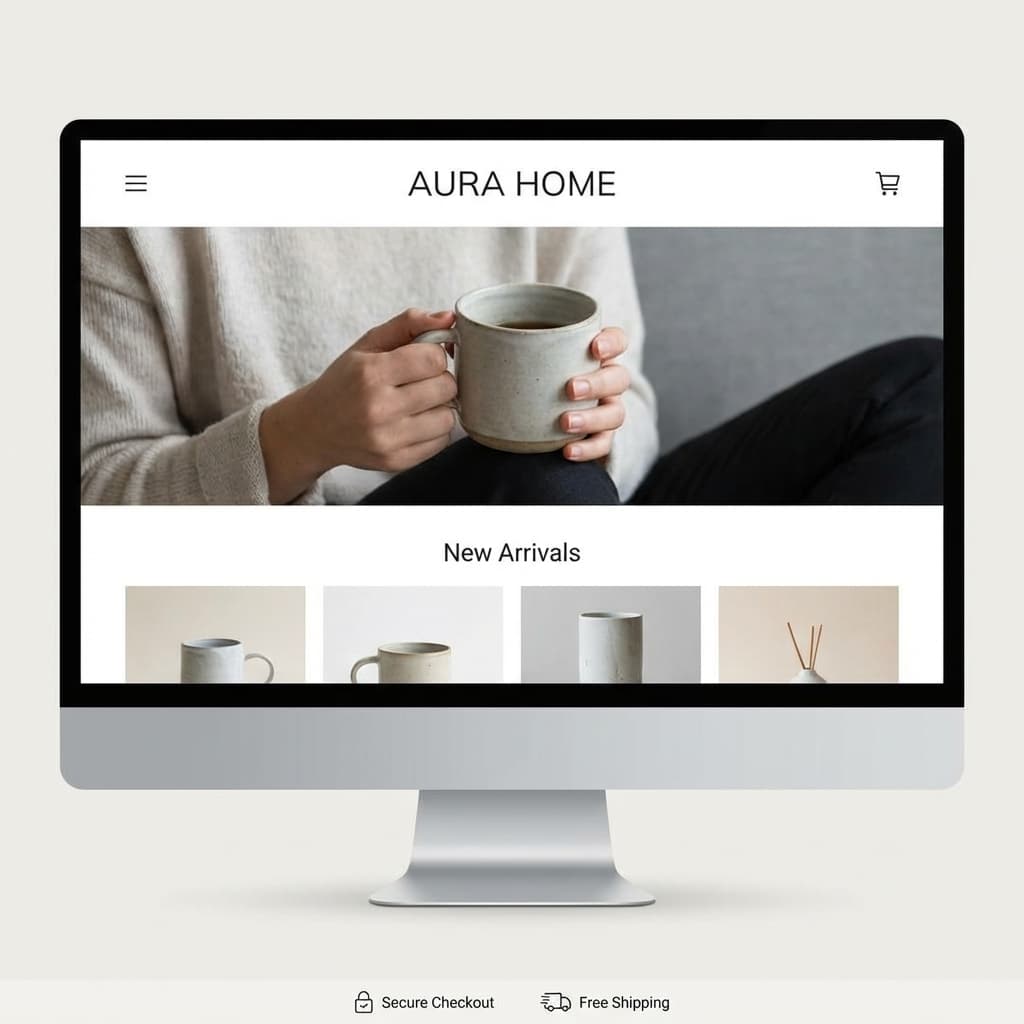
Navigation UI
Header Design
Essential Elements:
- Logo (linked to homepage)
- Main navigation
- Search bar
- Account icon
- Cart icon with item count
- Wishlist (optional)
Best Practices:
- Sticky header on scroll
- Clear visual hierarchy
- Consistent placement
- Mobile-responsive behavior
Mega Menu Design
For stores with many categories:
- Organize by logical groups
- Include images for visual appeal
- Feature popular items
- Show promotions
- Keep depth to 2-3 levels max
Mobile Navigation
- Hamburger menu (understood universally)
- Bottom navigation for key actions
- Expandable category lists
- Search easily accessible
- Cart always visible
Search UI
Search Bar Design
- Prominent placement
- Clear placeholder text
- Search icon indicator
- Auto-suggestions
- Recent searches
- Popular searches
Search Results
- Relevant results first
- Product images in results
- Price visible
- Quick add option
- Filter/sort options
- "No results" handling
Product Card UI
Essential Elements
┌─────────────────────┐
│    [Product Image]  │
│                     │
│    Product Name     │
│    $XX.XX  $XX.XX   │
│    ★★★★☆ (123)     │
│    [Quick Add]      │
└─────────────────────┘
Hover States
Reveal on hover:
- Secondary image
- Quick view button
- Add to wishlist
- Color/size options
Badge System
Visual indicators for:
- New arrivals
- Sale items
- Best sellers
- Low stock
- Free shipping
Product Page UI
Image Gallery
- Large primary image
- Thumbnail navigation
- Zoom on hover/click
- Fullscreen option
- Video support
- 360° view option
Product Information
Layout principles:
- Clear visual hierarchy
- Scannable content
- Progressive disclosure
- Consistent spacing
Information order:
- Title
- Price/discount
- Rating
- Brief description
- Variants (size, color)
- Quantity
- Add to cart
- Additional details (expandable)
Variant Selection
Color Selection:
- Color swatches
- Color name on hover
- Selected state clear
- Out of stock indication
Size Selection:
- Size buttons/dropdown
- Size guide link
- Availability per size
- Selected state obvious
Add to Cart
- Large, prominent button
- High contrast color
- Clear CTA text
- Loading state
- Success confirmation
- Animated cart update
Cart UI
Mini Cart (Dropdown)
┌─────────────────────┐
│ Your Cart (3)       │
├─────────────────────┤
│ [img] Product 1     │
│       $XX.XX  x1    │
├─────────────────────┤
│ [img] Product 2     │
│       $XX.XX  x2    │
├─────────────────────┤
│ Subtotal: $XXX.XX   │
│ [View Cart]         │
│ [Checkout]          │
└─────────────────────┘
Cart Page
- Product editing inline
- Clear remove option
- Quantity adjustment
- Save for later option
- Estimated total
- Continue shopping link
- Prominent checkout CTA
Checkout UI
Form Design
Best Practices:
- Single column layout
- Logical field grouping
- Inline validation
- Helpful error messages
- Auto-formatting
- Field masks
Progress Indication
Show users where they are:
- Numbered steps
- Step labels
- Current step highlighted
- Completed steps marked
Payment UI
- Recognizable payment logos
- Card number formatting
- Expiry date picker
- CVV helper
- Billing address toggle
- Express payment options
Form UI Patterns
Input Fields
- Clear labels
- Placeholder text
- Focus states
- Error states
- Success states
- Help text when needed
Buttons
Primary (Add to Cart, Checkout):
- High contrast
- Large size
- Full width on mobile
Secondary (Continue Shopping):
- Lower contrast
- Smaller size
- Outlined style
Dropdowns & Selects
- Clear current selection
- Searchable for long lists
- Custom styling consistency
- Mobile-friendly behavior
Trust UI Elements
Trust Badges
Display prominently:
- Secure checkout badge
- Payment method icons
- Money-back guarantee
- Free shipping threshold
- Customer service contact
Social Proof UI
- Star rating display
- Review count
- User photos
- Purchase notifications
- "People also bought"
Loading & Empty States
Loading States
- Skeleton screens (preferred)
- Spinners (for short waits)
- Progress bars (for longer)
- Optimistic updates
Empty States
Empty Cart:
- Friendly messaging
- Product suggestions
- Clear CTA to shop
No Search Results:
- Helpful suggestions
- Popular products
- Search tips
Responsive Design
Breakpoints
Mobile: 0-768px
Tablet: 769-1024px
Desktop: 1025px+
Mobile Adaptations
- Stacked layouts
- Bottom navigation
- Sticky CTAs
- Simplified filters
- Touch-friendly targets
Accessibility
Requirements
- Color contrast (WCAG AA)
- Keyboard navigation
- Screen reader support
- Focus indicators
- Alt text for images
Testing
- Use screen readers
- Test keyboard only
- Check color blindness
- Validate with tools
Design System
Components Library
Create reusable components:
- Buttons
- Forms
- Cards
- Modals
- Navigation
- Icons
Style Guide
Document:
- Color palette
- Typography scale
- Spacing system
- Shadow styles
- Border radius
- Icon style
Conclusion
Great ecommerce UI design balances aesthetics with functionality. Focus on clarity, consistency, and conversion optimization while ensuring accessibility for all users.
Ready to elevate your store's UI? Explore our UI/UX design services or learn from best ecommerce website examples.